Owners
Review the business
See revenue, payments and open work across your locations. Manage staff access and your subscription.

Workshop software for Australian mechanics
Manage bookings, parts and customer records alongside each job. Record inspection findings, get the customer's approval and create the invoice from the work completed.
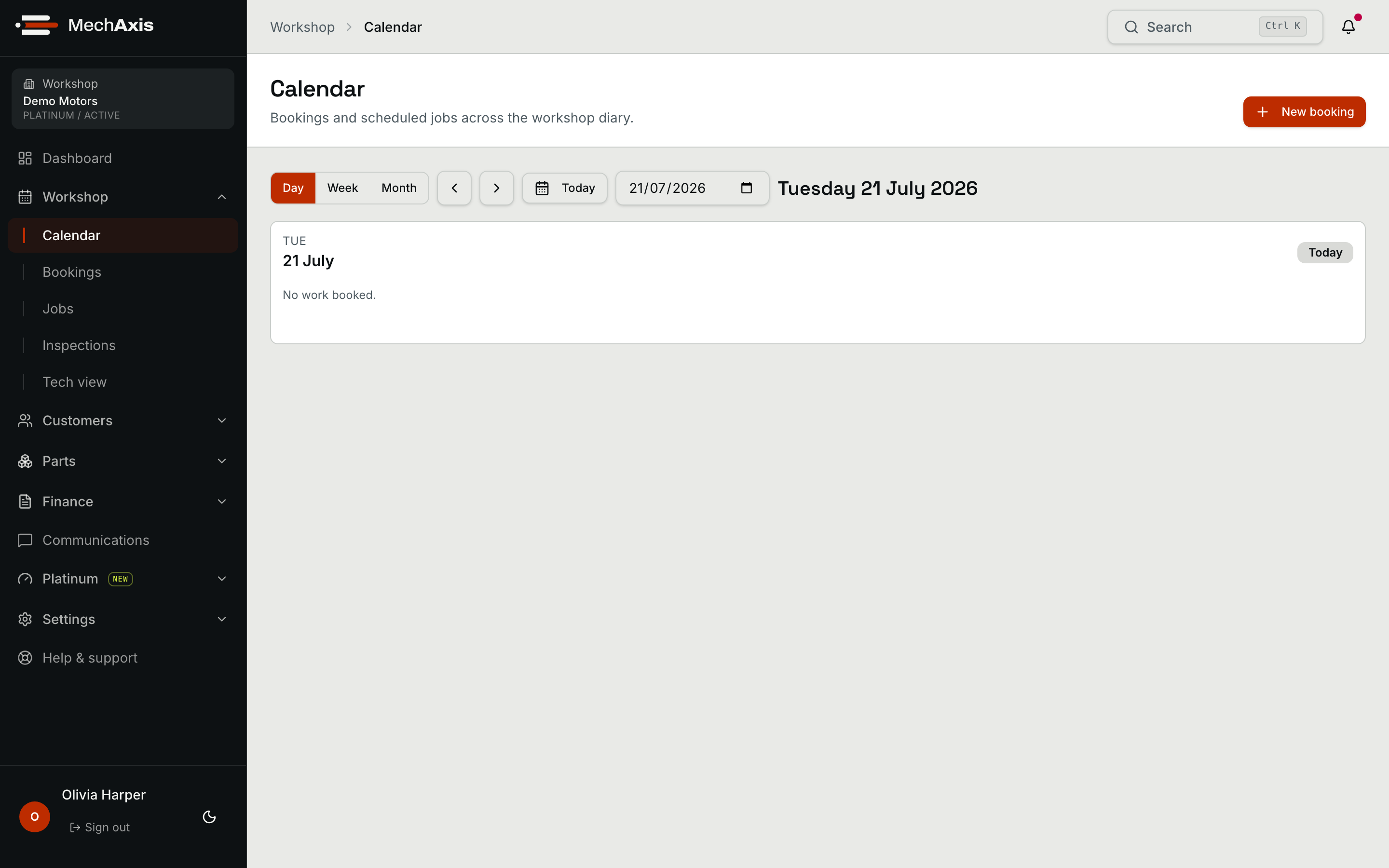
Select a job to open its docket. Every block carries its customer, vehicle and approved work.
A sample Tuesday · select any job to open its docket
Work out your labour rate, prepare a job card or plan the bays. Use the resources without creating an account.
Calculate break-even and target charge-out rates from your hours, wages, overheads and parts gross profit. Print your results.
Download a blank A4 job card and a completed example. Keep the customer concern, approved work, parts and handover on one sheet.
The run sheet
Take the booking, record what needs repair and get the customer's approval. Job details carry through to parts, completed work and the invoice.
Phone, front counter, your website or the API. Customer, vehicle, concern, bay and expected duration are attached before the keys arrive.
Owner's view
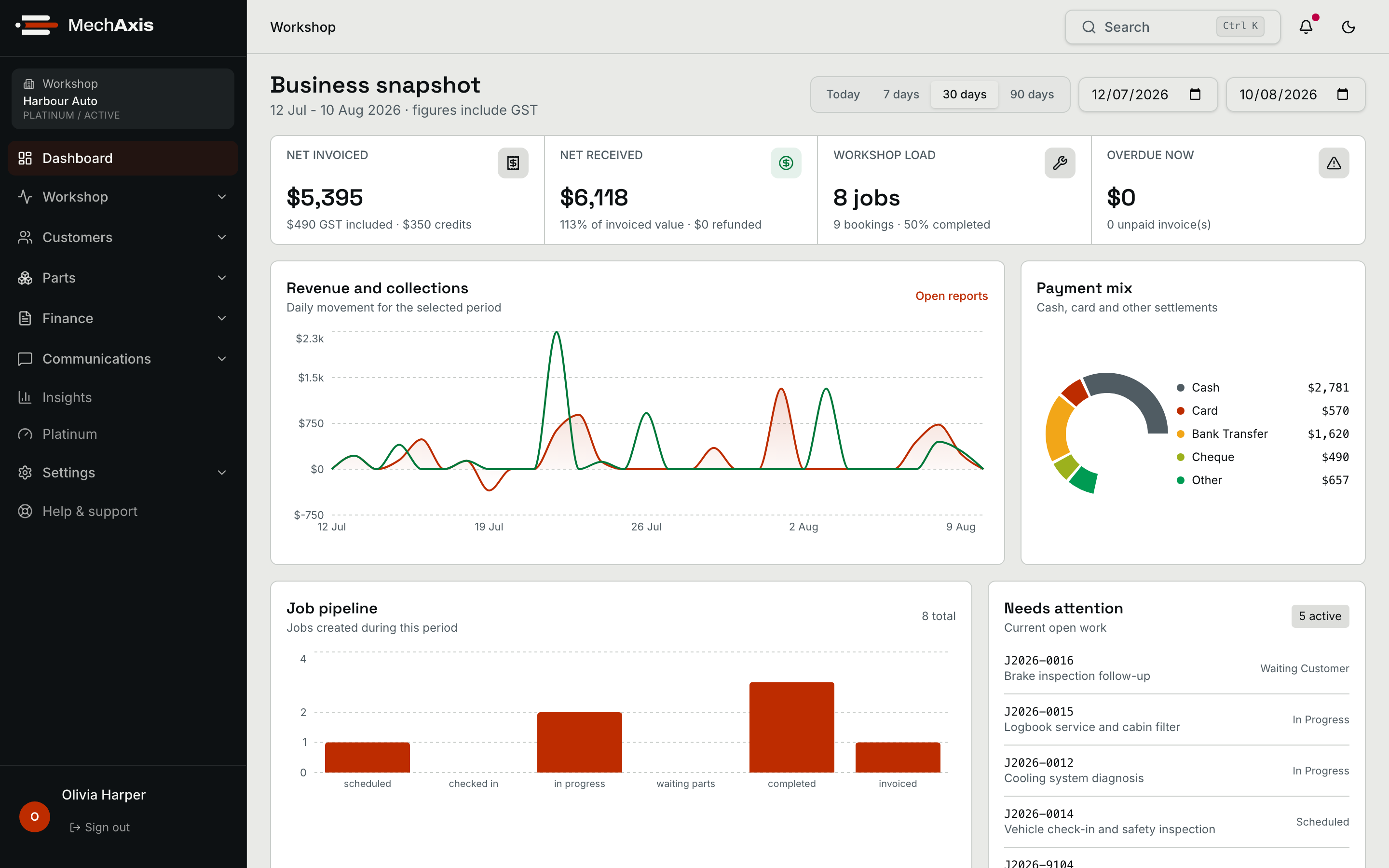
Choose a reporting period to review invoiced revenue, payments and completed jobs. See open work and overdue invoices that need attention now.
Inspection templates
Start with a state inspection template or a general workshop safety checklist. Record findings and photos, then quote the repairs. MechAxis is a worksheet; authorised examiners still use the official standards and issue certificates through the applicable state process.
The toolboard
Carry customer, vehicle and job details into the next step. Compare plans to see which tools your workshop needs.
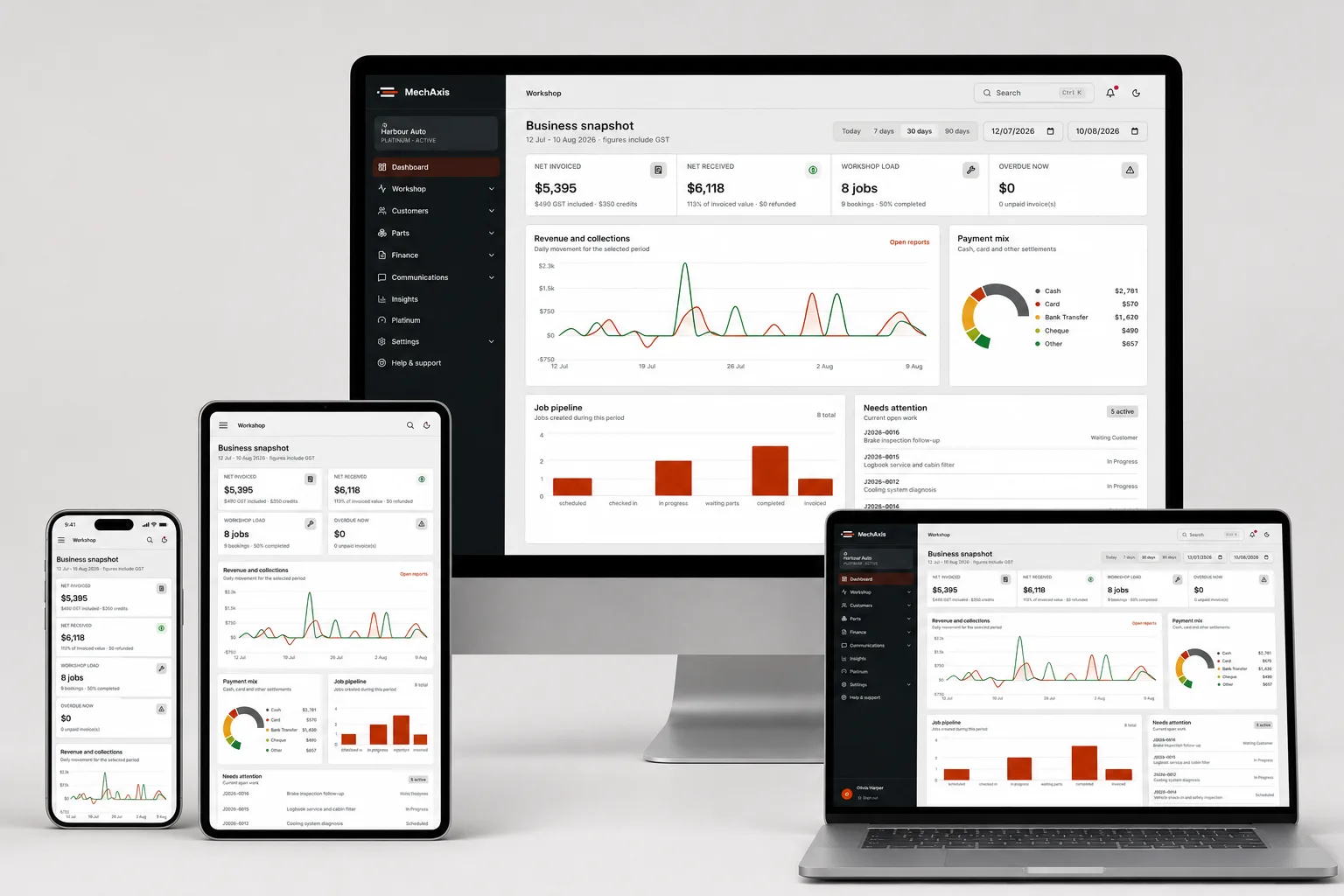
Use MechAxis on a desktop, tablet or phone. Your team works from the same customer, vehicle and job records.
Your team
See revenue, payments and open work across your locations. Manage staff access and your subscription.
Manage bookings, quotes and customer updates. Parts staff can track stock and orders; accounts can review invoices and payments.
Technicians see assigned and available jobs, record time and add inspection findings from a tablet.
Reading
See how MechAxis fits your workshop.
Questions
Bookings, customers, vehicles, job cards, invoices and payments. Gold adds digital inspections and inventory. Platinum adds tools for multiple sites, fleet customers and follow-up work.
Yes. Plans are priced in AUD, support is based in Australia, and quotes and invoices support GST-inclusive pricing.
Yes. Link to your MechAxis booking page, or ask your developer to connect your existing form through the booking API on Platinum.
No. Customers open a quote link and use an emailed verification code to approve work. The customer portal for viewing service history has a separate sign-in and is available on Gold and Platinum.
No. Workshop SMS is charged separately. The standard rate is 25c per SMS segment, including GST, unless you have an agreed rate. Long messages can use more than one segment.
Yes. The trial runs for 30 days, with no card required. Set up your workshop, invite the team and take a test job from booking to invoice.
Plans
Try MechAxis for 30 days. No card required. Monthly prices are in AUD, including GST. Workshop SMS usage is charged separately.
Talk to us
Tell us what you need to manage. We can walk through a job with you and help you choose a plan.
30-day trial
Set up your workshop and take a test job from booking to invoice. 30 days. No card required.